
SleepSpace for iPhone & Android
Better nights start here.
Try 7 days free.
Personalized sounds, sleep tracking, guided relaxation, a smart alarm, and a six-week CBT-I-based course. Start exploring SleepSpace tonight with your 7-day free trial.


Cancel before your trial ends to avoid being charged.
Or unlock one year of SleepSpace app access with your purchase of the Nearable Charger + Smart Light or SleepSpace Band.
Trusted by 100,000+ sleepers
Why people choose SleepSpace

“The smart sound machine and integration with all major wearables makes this a must have solution for your sleep health.”
Read the full testimonial. Individual experiences vary.
Choose the plan that fits your routine.
Monthly
$12.99/month after your trial
Build your sleep routine one month at a time.
Yearly
$79/year after your trial
About $6.58 per month, billed annually. Save $76.88 compared with 12 monthly payments.
Both plans give you access to the SleepSpace app. Get started with tonight's wind-down and continue building habits with the six-week CBT-I-based course.
Fall asleep. Stay asleep. Wake refreshed.
Give yourself a way to unwind, a calmer sleep environment, and a morning routine that helps you understand what is working.
Ease into sleep
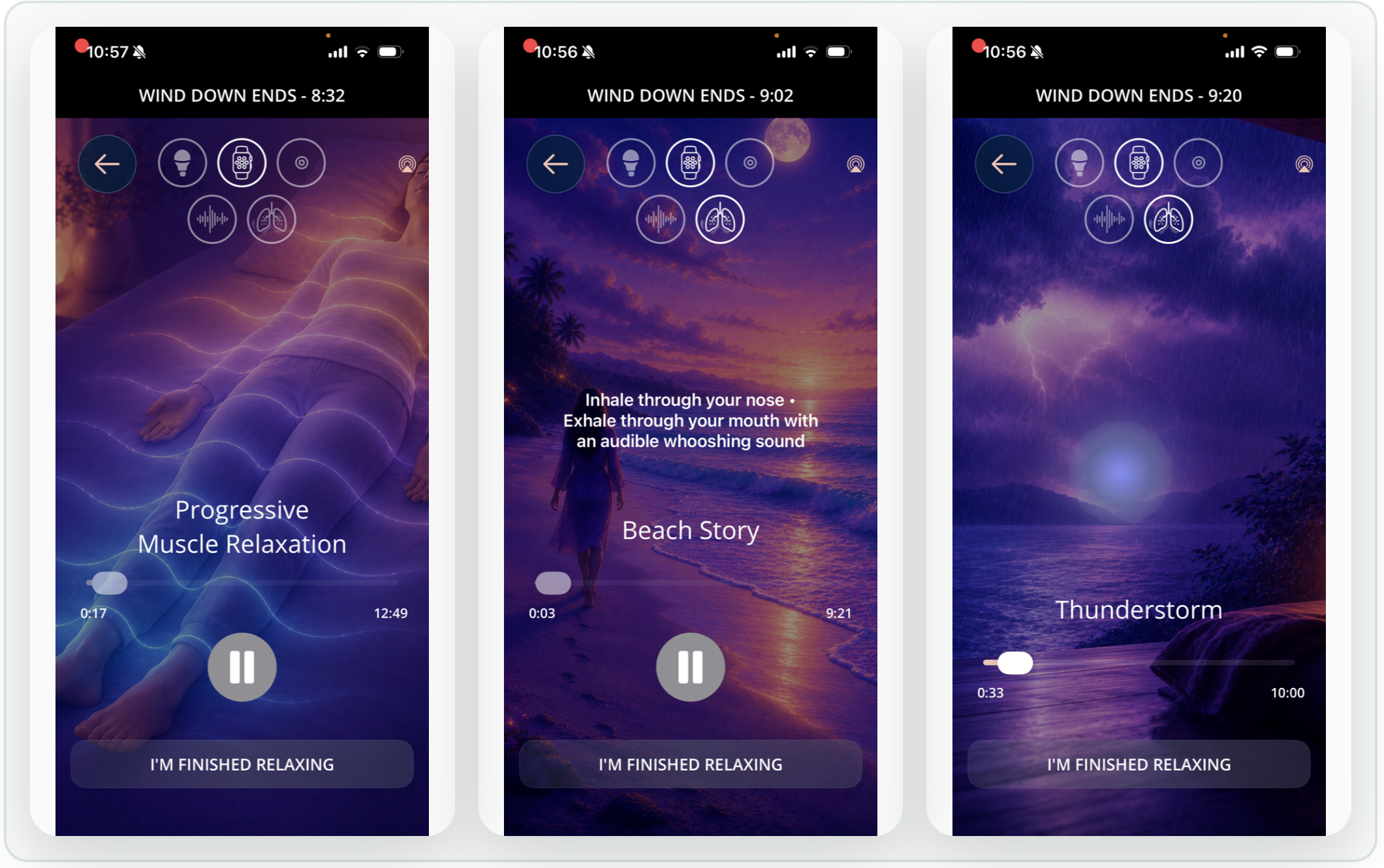
Choose meditations, sleep stories, and guided breathing to make the transition from a busy day to bedtime feel less abrupt.

Settle in for the night
Build a sound routine with soothing audio and sound masking. Track your night so you can compare your habits with how rested you feel.

Wake during lighter sleep
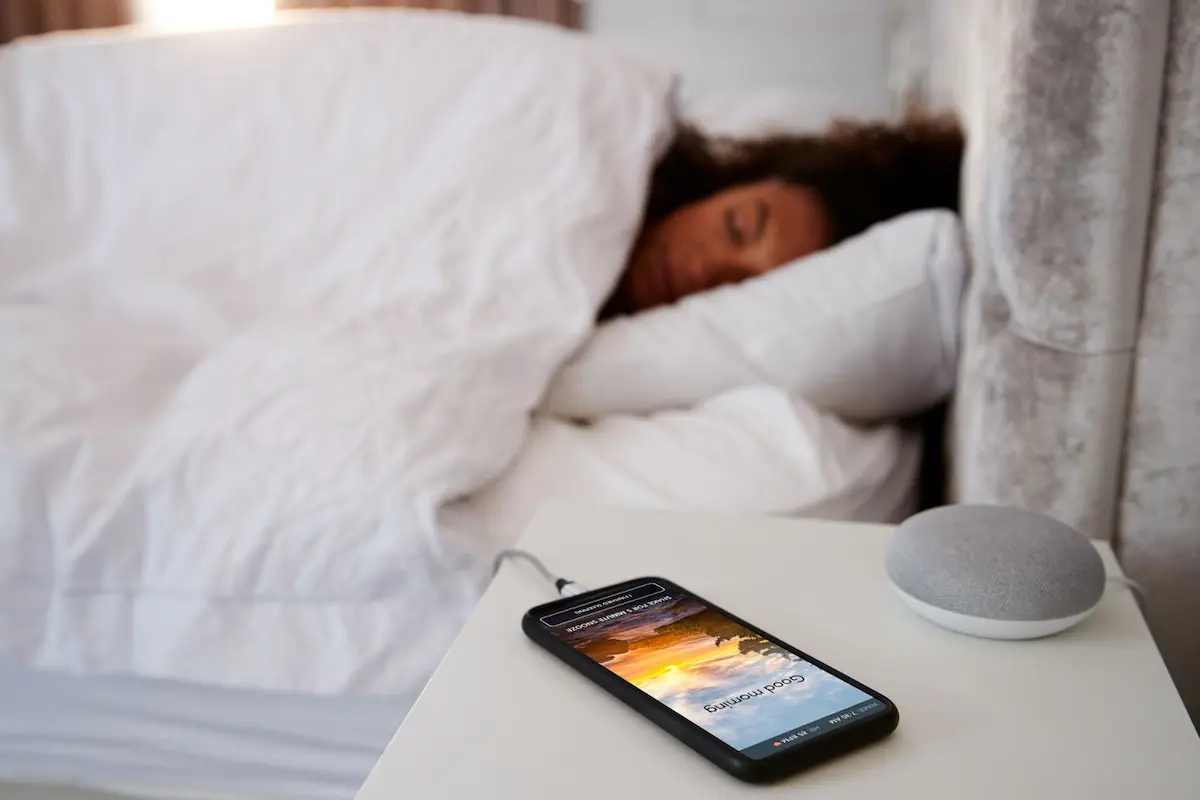
Set your wake-up window and let the smart alarm look for estimated lighter sleep within it, rather than relying only on a fixed alarm time. It is designed for a gentler transition into your morning.
Choose your wake-up sound and explore supported vibration or sunrise-light options. Sleep-stage estimates cannot guarantee how refreshed you will feel.
From research to everyday routines
Understand the science behind your next step.
Explore SleepSpace's research on tracking, sound, and behavioral sleep support, including the methods and limits behind the findings.
Your six-week CBT-I-based course
Work toward falling asleep more easily and staying asleep longer.
Stop piecing together disconnected sleep tips. SleepSpace's six-week course gives you a structured way to understand your patterns, practice new habits, and build a routine you can keep using.
Learn ways to wind down when your mind feels busy, build more consistent sleep timing, and approach nighttime awakenings with a plan. Pair daily learning with your sleep diary, guided relaxation, and the app's nighttime tools.
Built on an established scientific approach.
The course is based on cognitive behavioral therapy for insomnia (CBT-I), an evidence-based treatment strongly recommended in the American Academy of Sleep Medicine's clinical guideline. SleepSpace brings CBT-I-based learning and practice into a self-guided app experience.
Created by sleep scientist Dr. Dan Gartenberg, it combines a longer-term habit-building pathway with support for tonight.
Explore the six-week CBT-I-based course or read the SleepSpace research and scientific validation.
This is a CBT-I-based wellness course, not clinician-delivered CBT-I. Evidence for CBT-I does not guarantee results from this course. The 7-day trial lets you get started; continued premium access requires a subscription.
Sound that responds
Your sleep changes. Your sound can, too.
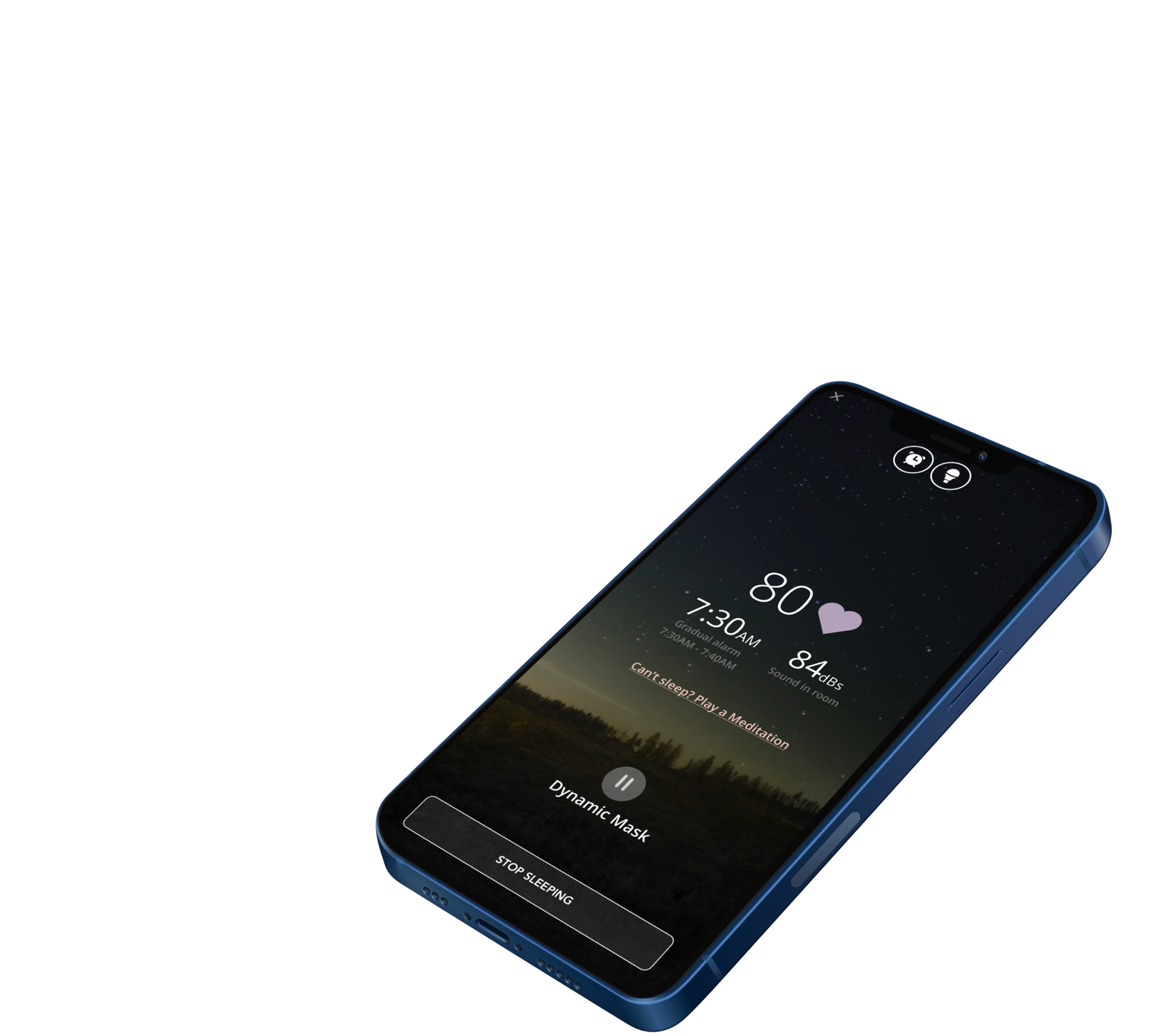
A regular sound machine repeats the same audio. SleepSpace's adaptive modes use estimated sleep-state signals to adjust audio through the night, including reducing stimulation when signs of waking are detected.
Deep-sleep audio stimulation
With stimulation enabled, SleepSpace uses sleep estimates to time auditory cues during the night. This is different from relaxing music at bedtime: timing is part of the experience.
Explore how deep-sleep stimulation works and read the supporting research.
Available responses depend on your settings and sensing setup. Sleep estimates are not direct brainwave measurements, and more deep sleep is not guaranteed. Keep audio comfortable and turn stimulation off if it disrupts your rest.
Your phone becomes your sleep tracker
Track your night without wearing a thing.
Once you start your Sleep Journey, overnight sensing is passive. SleepSpace uses your phone's sensors to pick up movement and sound signals, depending on your setup and permissions, and estimate your sleep. You do not need to tap the screen or log events while you sleep.
Get the best signal for your setup.
Follow the app's placement instructions and use a consistent setup each night. For additional sensing options, explore the SleepSpace Charger or a supported wearable connection. Accuracy depends on placement, your environment, and the signals available; phone-only estimates are not equivalent to a clinical sleep study.
Choose your tracking setup or explore SleepSpace's tracking validation research.
Connect your nights with how you feel.
Combine your sleep diary, estimated sleep patterns, and morning energy to discover which routines help you feel more rested. Start with your phone or bring in the wearable you already use.
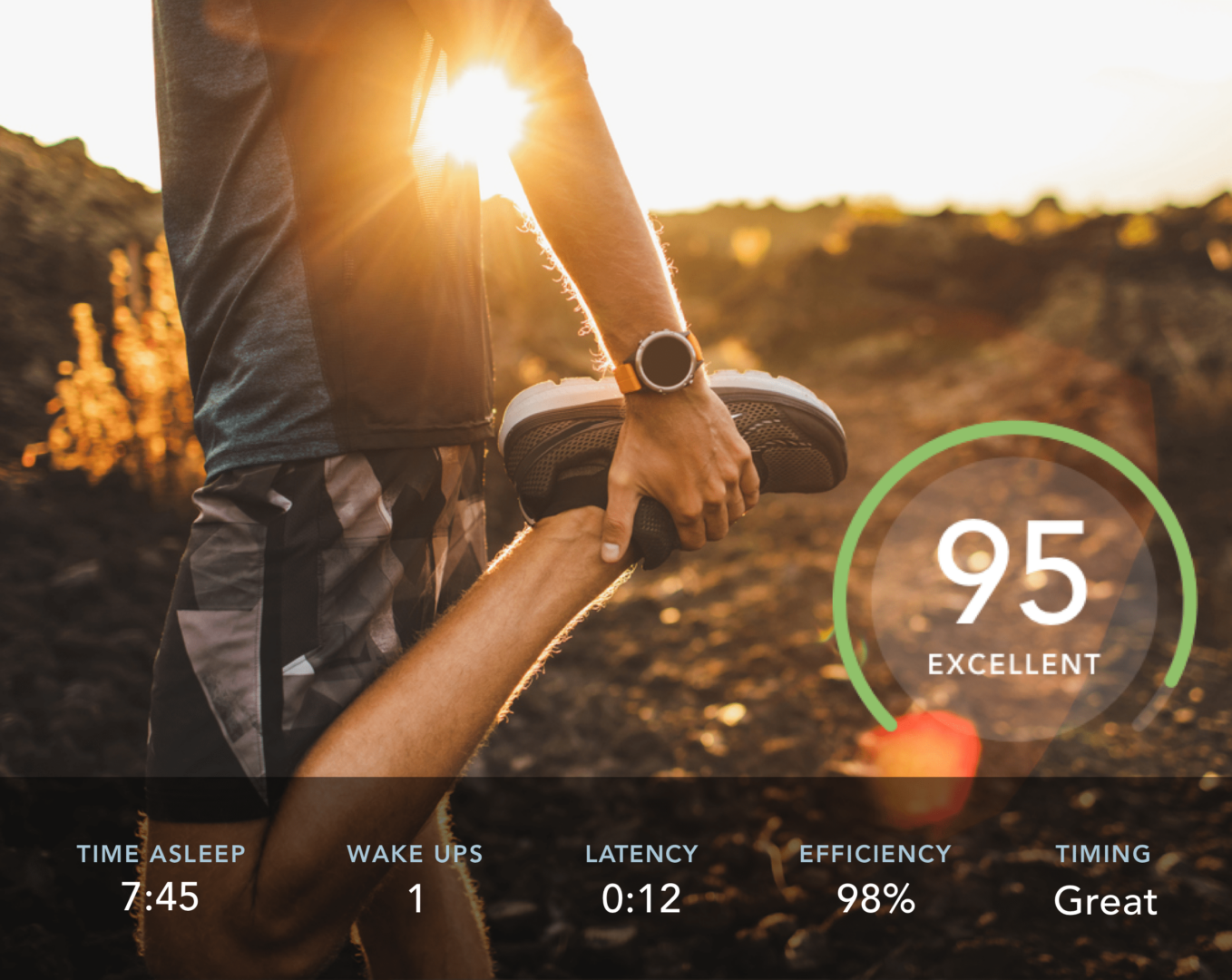
Make your score useful
Compare your sleep timing and diary with your energy at work or during a workout. Look for patterns across several nights, not a perfect number.
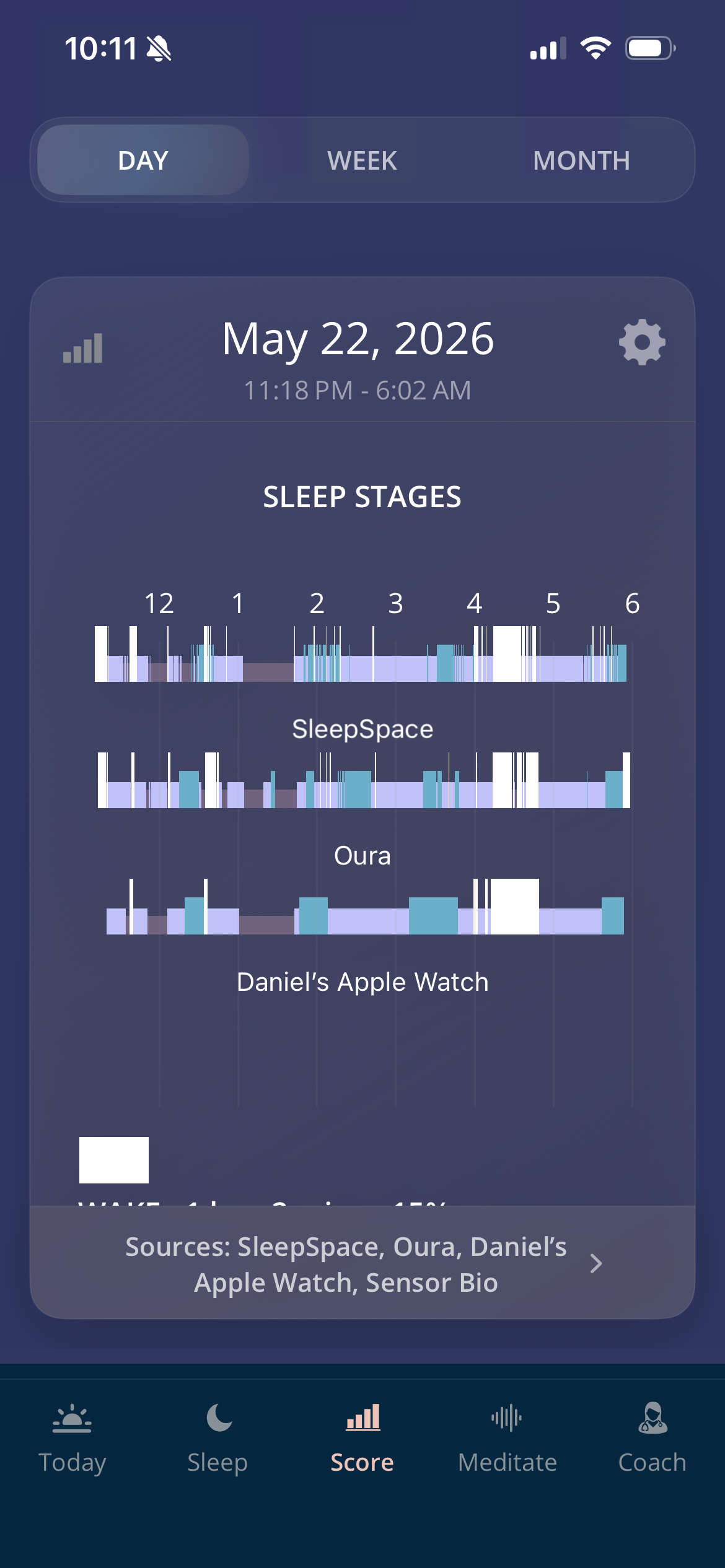
Keep the wearable you love
Connect Oura, WHOOP, Apple Watch, and more through supported integrations. View device data alongside your own experience instead of relying on a score alone.
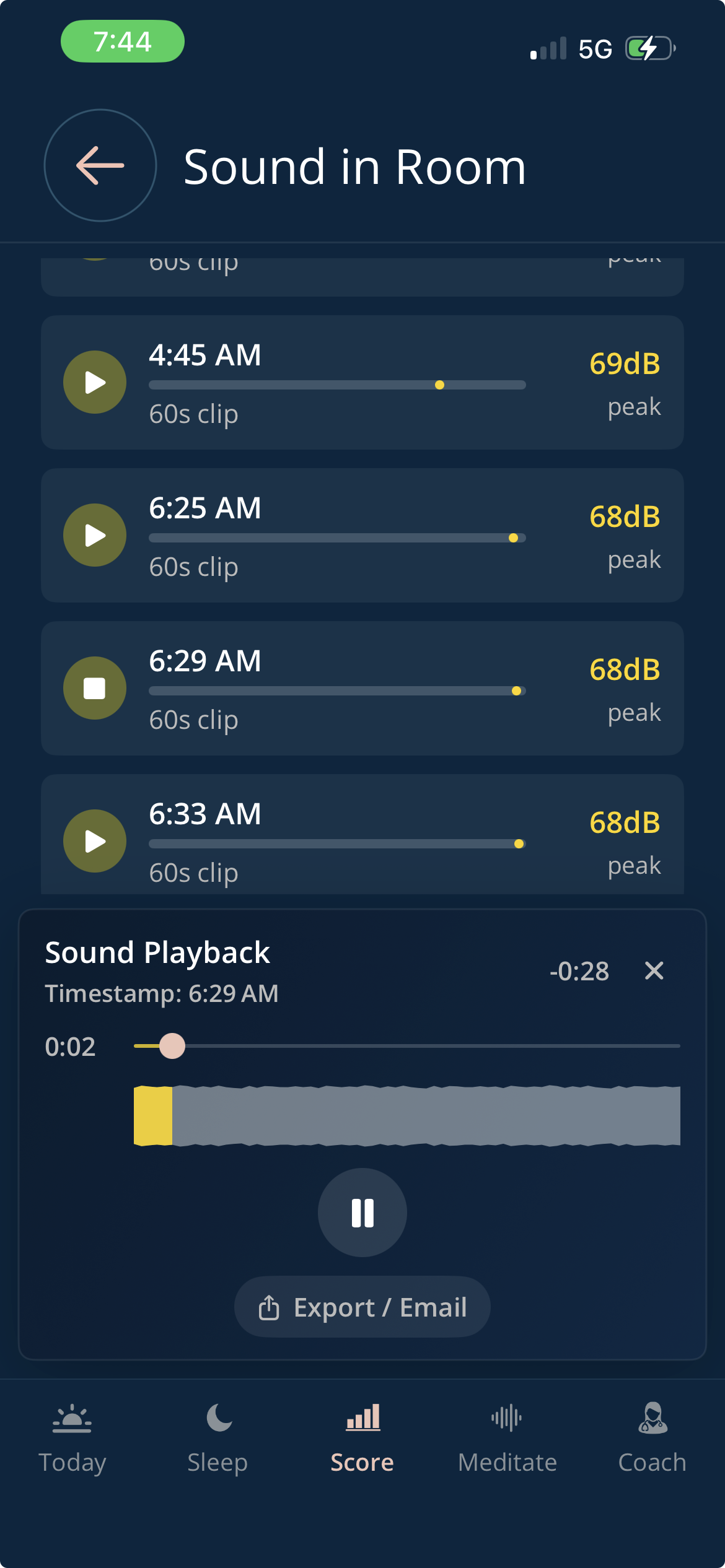
Hear what happened overnight
Enable sound recording to review nighttime events with playback. Add context to your diary without guessing what you heard.
Features and integrations vary by platform and device. Sleep estimates and sound recordings do not diagnose sleep disorders. Optional hardware and human coaching are separate from the app subscription.
Bring your new routine to life tonight.
Start your 7-day free trial. Then choose $12.99/month or $79/year. Cancel before your trial ends to avoid being charged.
Cancel anytime. Renewal terms are shown at signup.
Feel the wind-down
Give your mind a break. Give your body a cue.
Follow the breathing ball, let a meditation guide your attention, or feel a soothing vibration as you settle down. Choose the combination that feels comfortable tonight.

Follow your breath
Use a visual rhythm instead of keeping count in your head. Breathe comfortably, without forcing your pace.
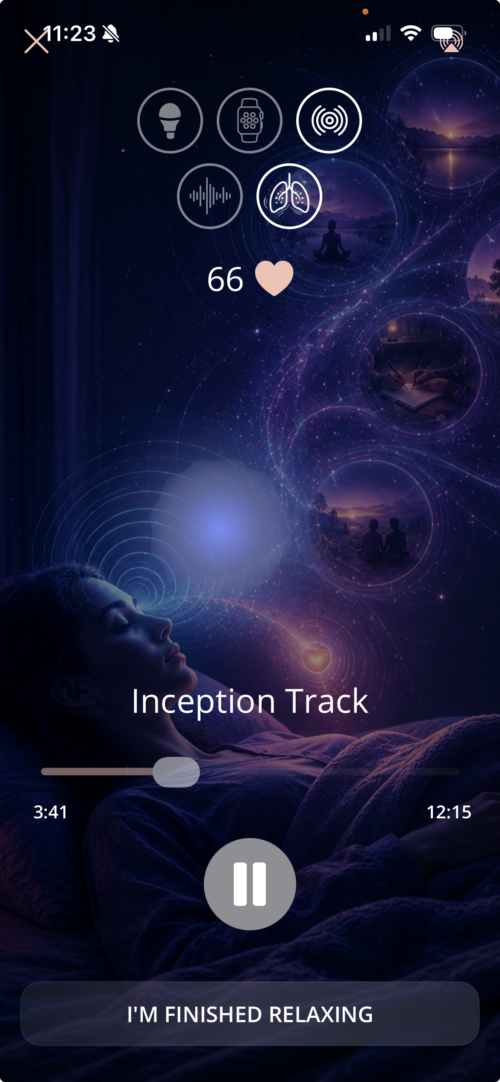
Release the day's tension
Explore immersive audio, meditations, and sleep stories. Let the guidance do the work while you unwind.
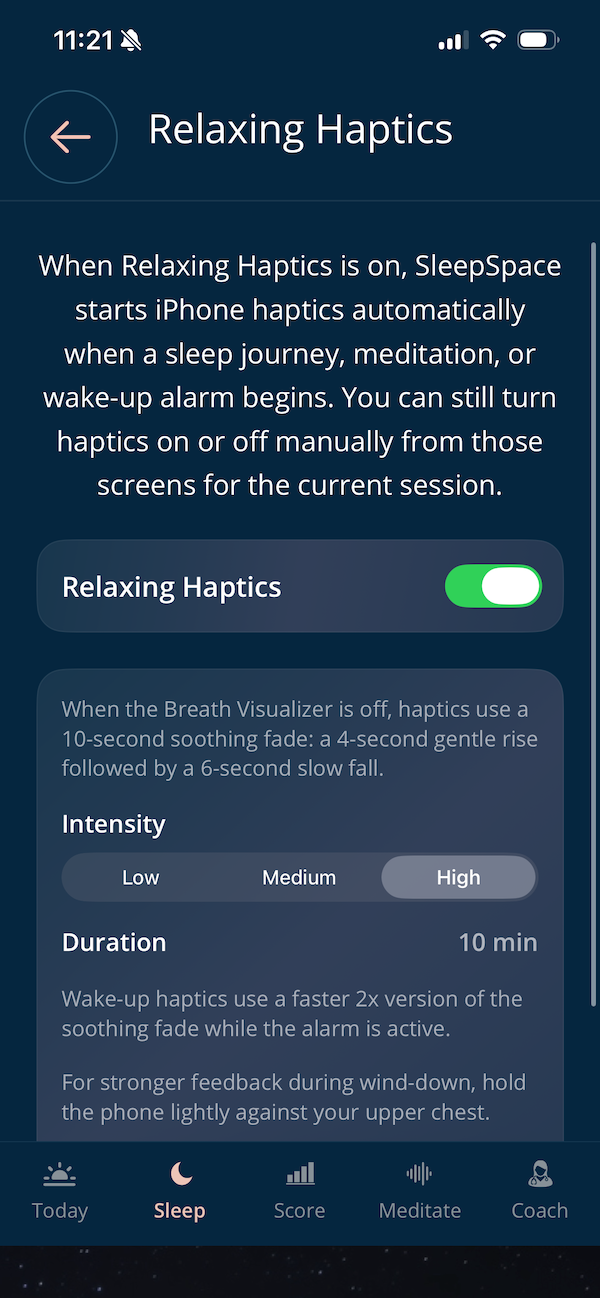
Feel a soothing rhythm
Add iPhone haptics to your wind-down and explore supported watch vibration options for relaxation and waking.
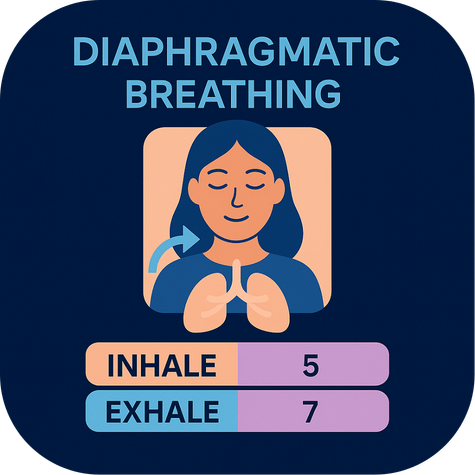
Relaxation is a skill you can practice
Learn to unwind, your way.
Some nights your thoughts keep going. Other nights your body feels tense, or you simply want a quiet break. SleepSpace gives you different ways to practice relaxing, so you can choose what fits tonight.
Follow the breathing ball for a simple focus, explore progressive muscle relaxation to practice releasing tension, or settle into a guided meditation. Prefer to skip the exercises? Just close your eyes and listen to a sleep story instead.
Add a soothing soundscape or supported haptic cues to make the experience your own. With regular practice, build a familiar wind-down routine you can return to after a busy day, during a quiet break, or before bed.
Your bedroom, reimagined
Turn your phone into your nighttime sound companion.
Move from a wind-down meditation to overnight sound and a gentle morning alarm. Build a Sleep Journey that carries your routine from bedtime through waking.
Explore nature sounds, noise masking, and sleep sound options. With a supported smart bulb, add evening lighting and a gradual sunrise to the experience.
Connect with your body
Make relaxation something you can feel.
Pair a guided breathing rhythm with soothing haptic cues and, with supported devices, heart-rate feedback during relaxation. Biofeedback gives you information about your body's response so you can explore what helps you settle.
Try a comfortable breathing exercise or meditation, notice how you feel, and adjust your routine. There is no target number you have to achieve to relax.
Explore haptics and biofeedback or choose a guided relaxation.
Visual breathing guidance and preset vibration patterns are pacing cues; they do not themselves measure your body's response. Device support and available feedback vary.
Find the sound of your better night.
A soft wash of noise. Rain outside a quiet room. Sound designed for your overnight routine. Explore different options and keep the ones you enjoy.

Pink noise
Create a steady sound backdrop to help soften changes in your room's noise. Keep the volume comfortable and low.
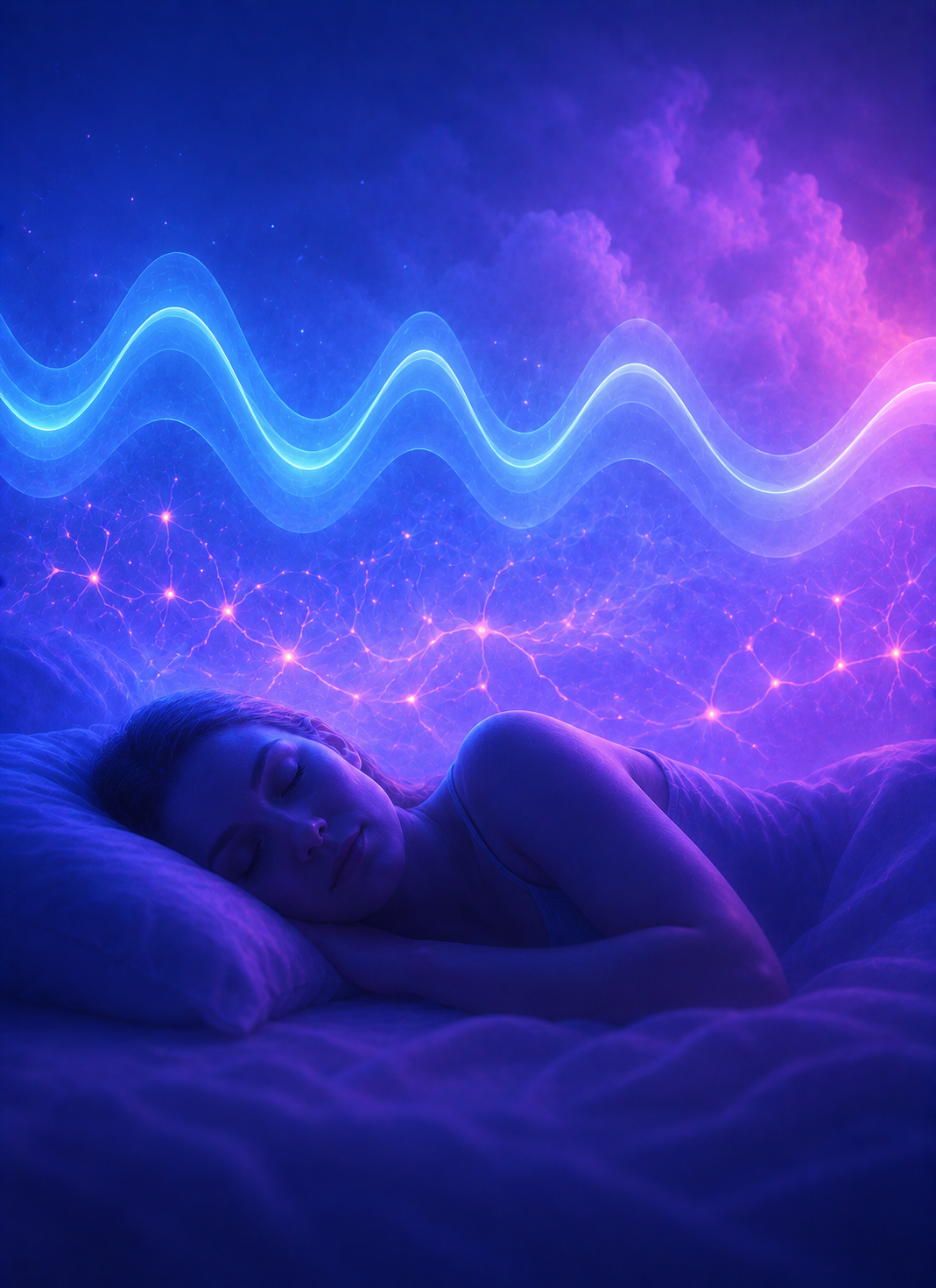
Timed sleep audio
Choose stimulation that responds to sleep estimates, rather than simply leaving a track on repeat. Explore the settings and find a comfortable sound level.

Thunderstorm soundscape
Bring the atmosphere of a rainy night into your wind-down. Choose nature sounds that help your room feel like a place to rest.
Your rhythm, not a generic bedtime
Find a schedule that works with you.
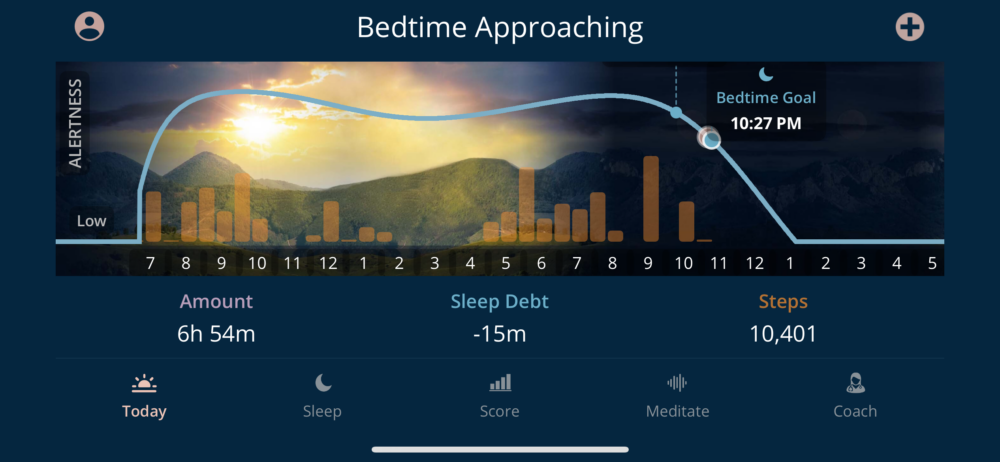
When should you wind down? Why does your energy dip in the afternoon? Your circadian chart helps you explore estimated alertness across the day and connect it with your sleep timing.
Use your chart, sleep diary, and morning check-ins to work toward your best schedule. Adjust your routine and compare how you feel over several nights, rather than chasing a perfect score.
Alertness estimates are guidance, not a direct measurement of your biological clock.
Your goals. Your next step.
Find the right approach for you.
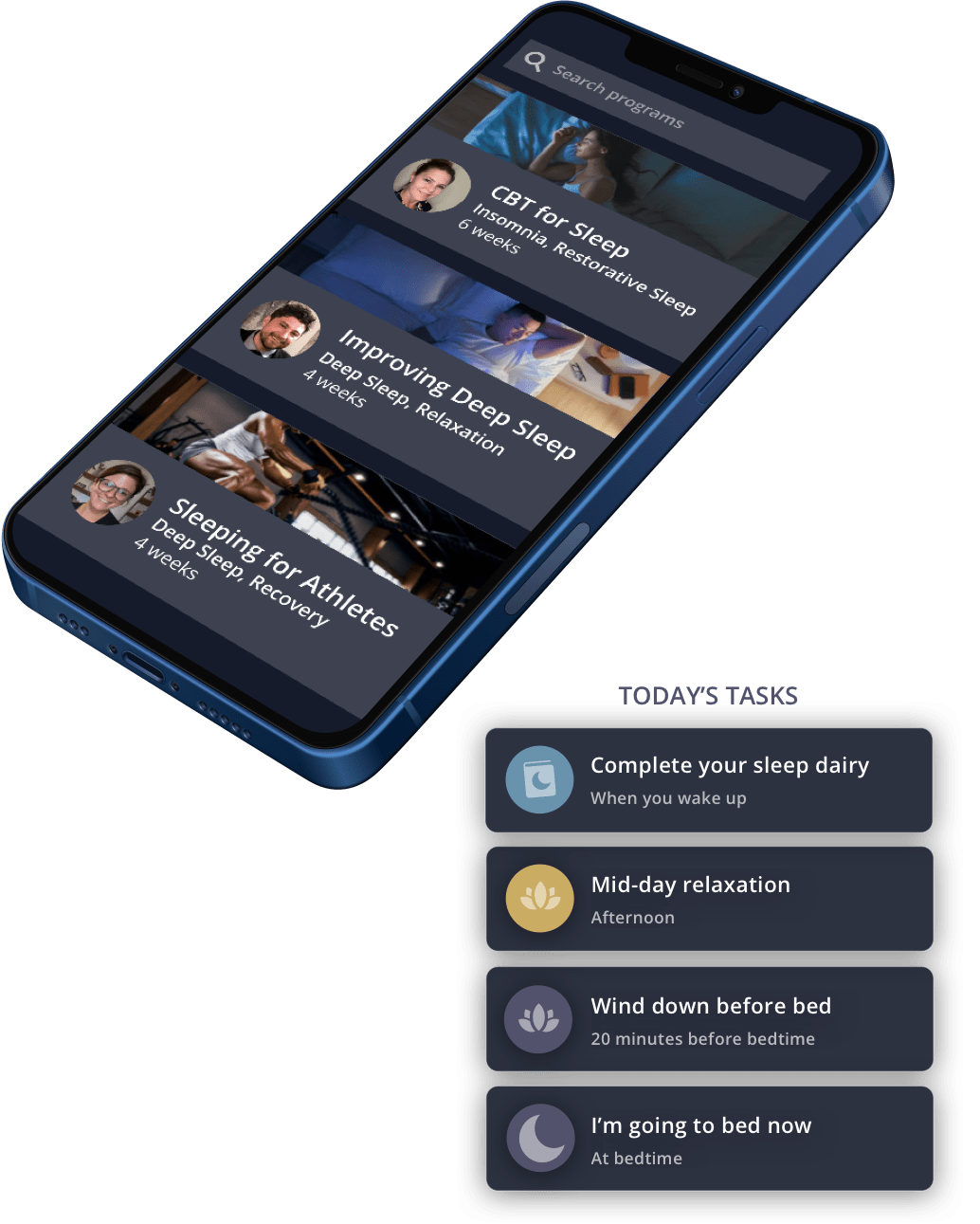
A busy mind at bedtime, an inconsistent schedule, and a noisy bedroom call for different approaches. Choose a guided program or routine based on what you want to work on, then use your diary to notice what helps.
If winding down is difficult, start with breathing and relaxation. If your timing feels off, explore your sleep schedule and circadian rhythm. For more structured habit-building, explore CBT-I-based guidance.
Try one manageable change at a time. Use your morning check-ins to decide what to keep, what to adjust, and what questions to bring to Dr. Snooze or a sleep professional.
Meet Dr. Snooze AI
Your sleep questions don't have to wait until morning.
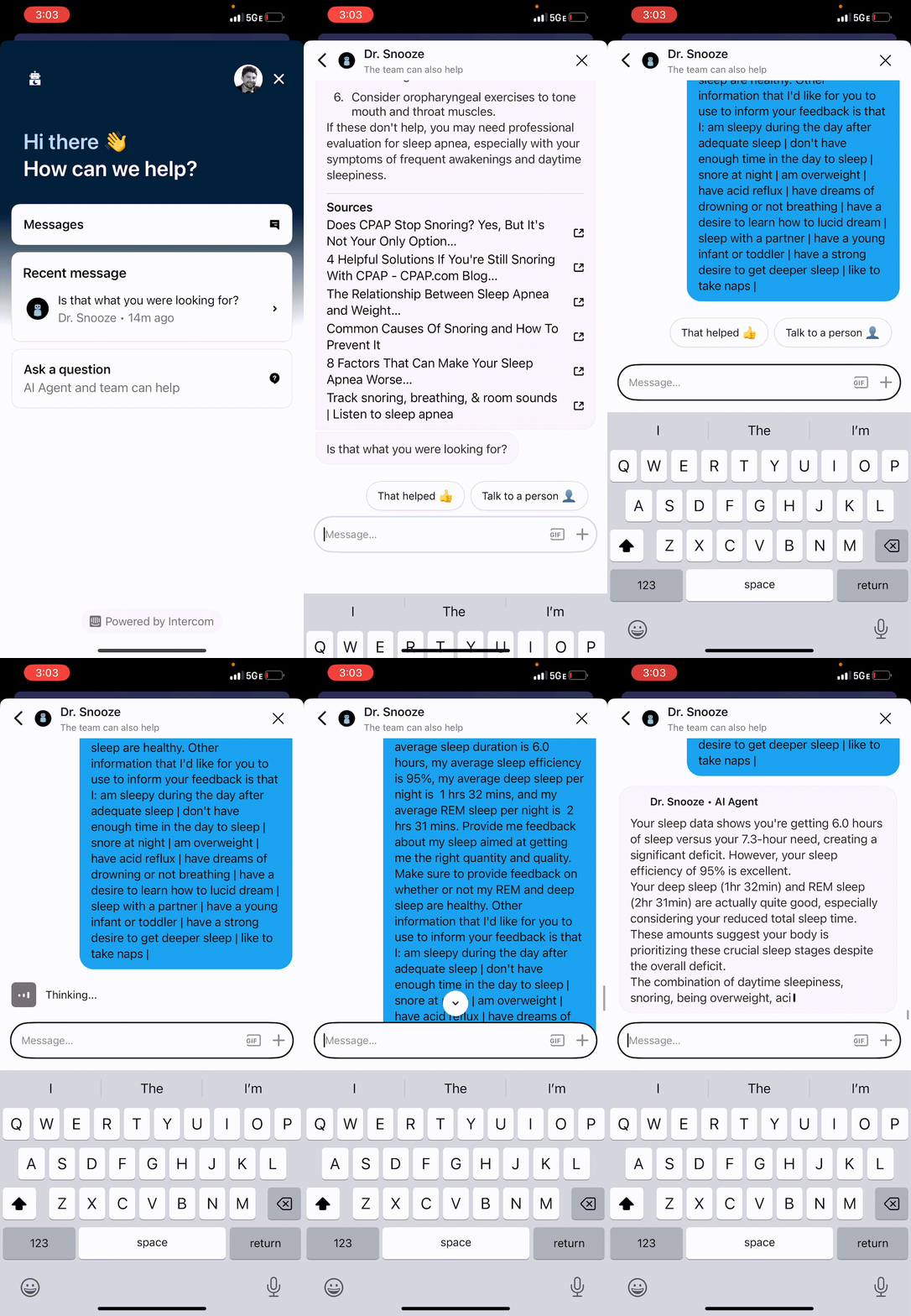
Wondering how to build a wind-down routine or make sense of your sleep data? Dr. Snooze is your in-app AI sleep assistant, available around the clock.
Share your sleep experience and data for more personalized guidance. Explore everyday habits, ask about your routine, or get help choosing which SleepSpace feature to try next.
Start with a question that matters to you.
"How can I make my bedtime more consistent?"
"What should I look for in my sleep diary?"
"How do I adjust my wind-down sounds?"
Meet Dr. Snooze and watch the demo
Dr. Snooze is AI, not a clinician, and can make mistakes. It provides wellness guidance, not diagnosis or treatment. For individual professional support, explore separately booked sleep coaching.
Start with tonight.
You do not need a new wearable or a perfect routine. Start with your phone and one small change you can repeat.
Download and get set up
Choose your phone's app store, install SleepSpace, and sign in or create your account.
Build your Sleep Journey
Choose a wind-down sound, personalize your smart sound machine, explore deep-sleep audio stimulation, and set your smart alarm for the morning.
Check in each morning
Review your night and record how you feel. Look for patterns over several nights rather than judging your sleep by one score.
Optional upgrades
Start with the app. Connect your bedroom.
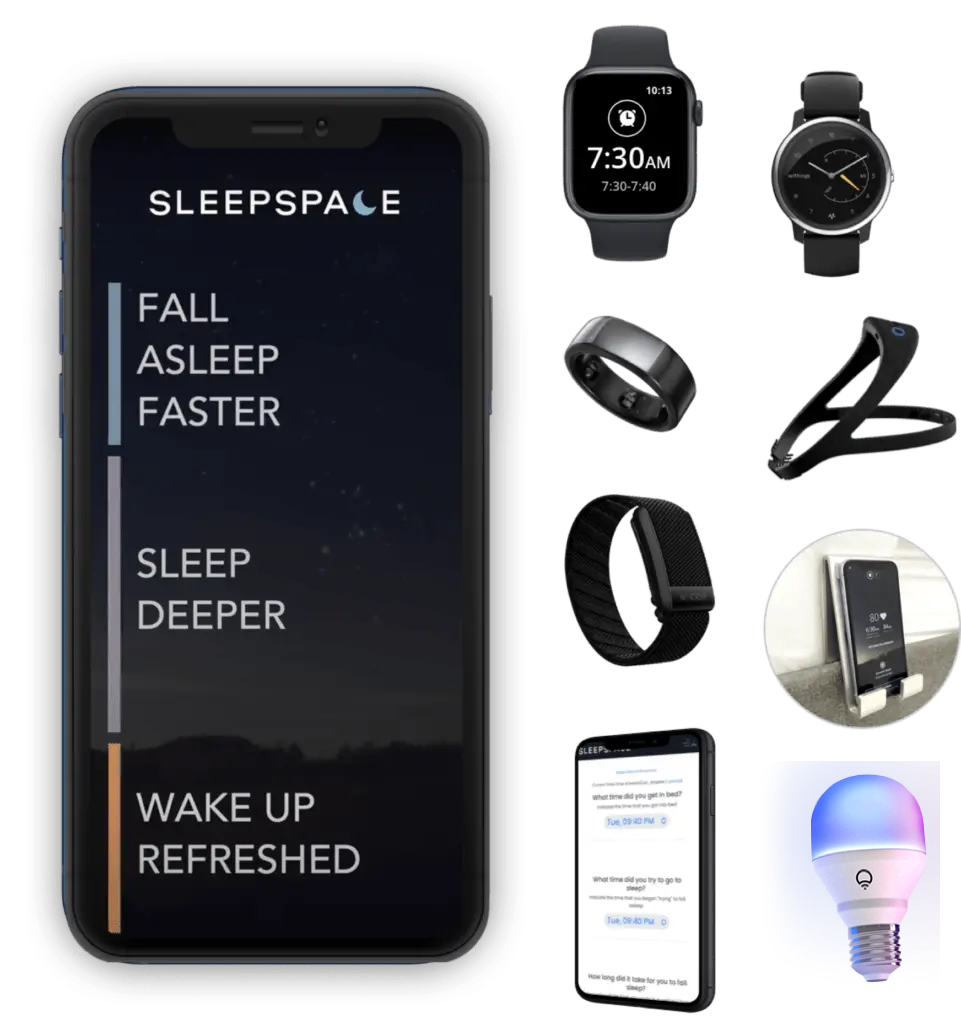
Your phone is enough to get started. When you want more, explore the new SleepSpace Band, Nearable tracking, and smart lighting for a more connected sleep routine.
SleepSpace Charger + Bulb: your Nearable setup
Prefer to sleep without wearing a device? Pair your phone with the SleepSpace Charger for Nearable tracking. The bulb adds lighting to your wind-down and a gradual sunrise to your wake-up routine; it is not the sleep sensor.
Explore the Charger + Bulb bundle
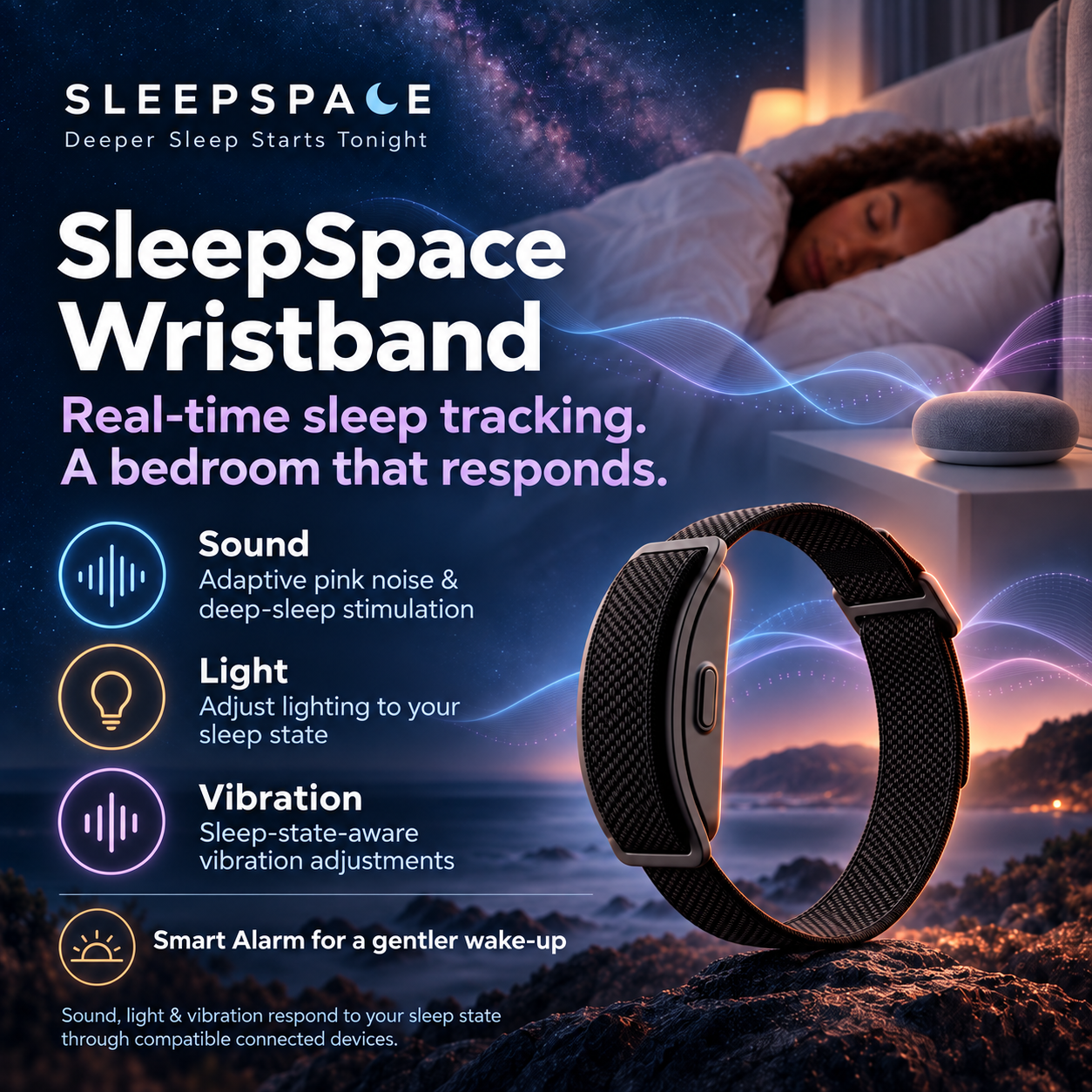
SleepSpace Band: bring wearable signals into your routine
The screenless Band adds optical heart-rate sensing, motion, and skin-temperature trends to your sleep picture. Connect overnight insights with SleepSpace's sound experiences, guided routines, and smart alarm instead of stopping at a morning score.
Already use Oura, WHOOP, or Apple Watch? Explore supported integrations to see how your existing device can fit into SleepSpace.
Explore the SleepSpace Band or read our research and scientific validation.
Hardware is optional and sold separately. Check device compatibility, shipping availability, and included features before purchasing. Hardware is not included in the app's 7-day trial.
Before you download
What happens after my 7-day free trial?
Your selected subscription starts at $12.99/month or $79/year and renews automatically until canceled. Cancel before your trial ends to avoid being charged. Hardware purchases are separate from this app offer.
How do I cancel the trial?
Cancel through the service that bills your subscription: your Apple account for App Store purchases, Google Play for Play Store purchases, or your account's billing provider for web purchases. Follow the deadline shown for your offer to avoid renewal. Deleting the app does not cancel a subscription.
Do I need a watch or another device?
No. You can start with your phone and the sleep diary. Supported wearables and Nearables are optional ways to add data. See device setup guidance before connecting a device.
Are iPhone and Android features identical?
Not necessarily. Features and device integrations vary by platform. Apple Watch connections and iPhone haptics are specific to the Apple ecosystem. Check your app's available options or contact support if a particular feature is important to you.
What if I already have an account or a partner offer?
Sign in with your existing account after downloading. If your clinician, employer, or partner provided an activation link, follow those instructions to redeem that offer rather than starting a second subscription.
Can the app diagnose a sleep disorder?
No. SleepSpace provides general wellness support, not diagnosis or treatment. If you have persistent sleep difficulties, loud snoring, gasping, or significant daytime sleepiness, discuss them with a qualified healthcare professional.
Start your 7-day free trial tonight.
Then $12.99/month or $79/year. Choose your phone and start building your sleep routine.
Cancel before your trial ends to avoid being charged. Your selected plan renews automatically until canceled.