
Haptic vibrations for winding down and waking up
Fall asleep with gentle vibration cues that help your body unwind
SleepSpace gives vibration a central role in the sleep routine: tactile cues for winding down at night, Apple Watch vibration during relaxation, and gentler wake-up signals in the morning. If the goal is to calm the body before sleep, a cue you can feel can be surprisingly powerful.
Most sleep apps tell you what happened after the fact. You go to bed, the app tracks you, and the next morning you get a score. That can be useful, but it is not the whole point. A better question is what the app can help you do differently tonight.
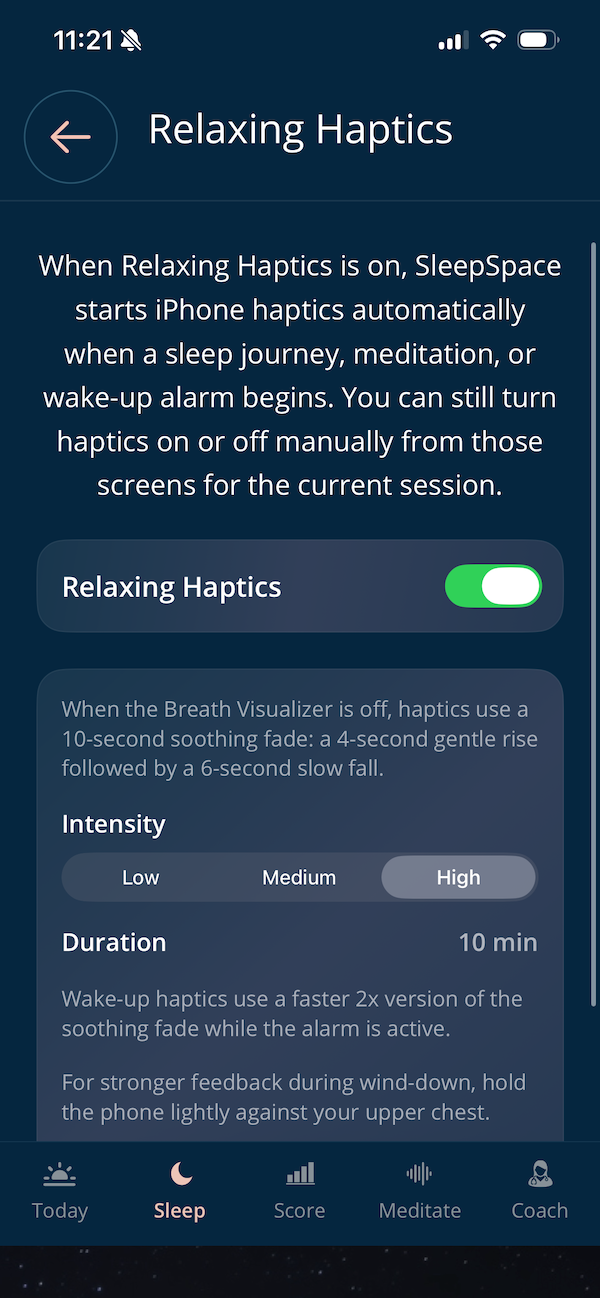
On iPhone, Relaxing Haptics starts automatically when a supported sleep journey, meditation, or wake-up alarm begins. You can still turn it on or off from those screens for the current session, so the feature stays flexible instead of feeling forced.
When the Breath Visualizer is on, a gentle haptic swell accompanies the inhale and stays synchronized with the selected breathing exercise. When it is off, SleepSpace uses a proprietary slow calming fade designed to support relaxation. The visual and tactile cues give you the same rhythm in two ways, so you can begin with the screen and continue with the physical cue when you are ready to look away. [9]
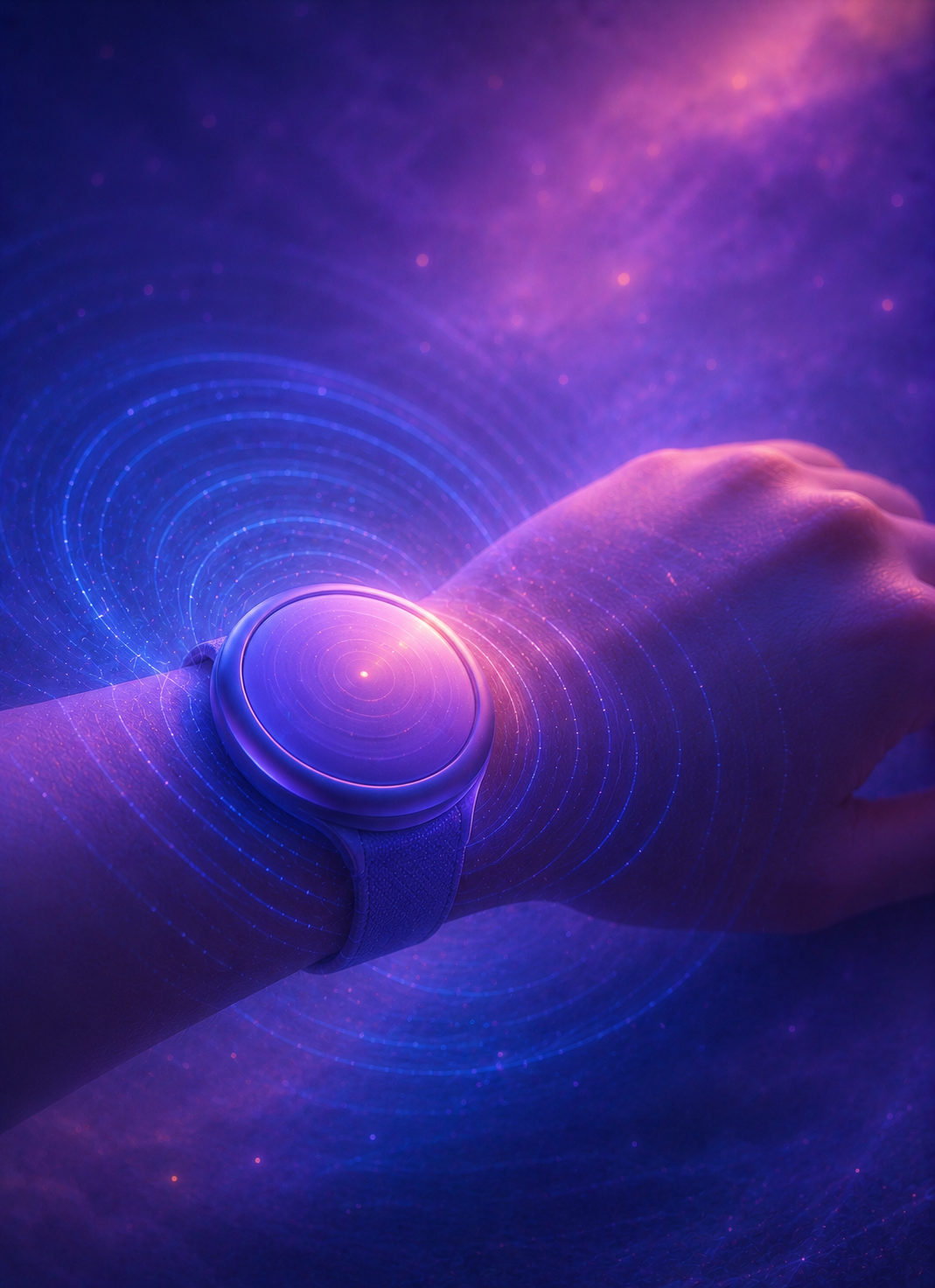
SleepSpace also has an Apple Watch vibration pathway for people who want the cue on the wrist. During relaxation, the watch offers a calming tactile cue designed to support relaxation. In the morning, Apple Watch vibration alarms can wake you without filling the room with sound or waking a sleeping partner.
For iPhone wind-down content, the haptic cue runs for the first 10 minutes and can be set to low, medium, or high intensity. If you want stronger feedback while you are still awake, hold the phone lightly against your upper chest, keep it uncovered, and move it away before sleep.
Use gentle vibration as a physical cue for winding down, staying present with a breathing exercise, and waking more softly. It gives your body something simple to follow when you would rather put the screen away and let your routine do the work.
Why it helps
Use a cue your body can follow instead of trying to think your way into sleep
Relaxation can feel abstract
A lot of people know they should calm down before sleep, but the body does not always respond to that instruction on command. A tactile cue can make the transition more concrete: slow down, loosen up, breathe, and let the nervous system begin stepping out of daytime mode.
A quiet metronome
Breath practices often fall apart when you start overthinking them. A repeating vibration can work like a quiet metronome. Instead of wondering whether you are doing it correctly, you can follow the cue, let the exhale lengthen, and keep the routine simple.
A more embodied feedback loop
This is best understood as biofeedback-style support for sleep behavior, not clinician-delivered biofeedback. You receive a cue, your body responds, you sleep, and the next morning you can review the night with your score, diary, and routine context.
Both sides of sleep matter
The way you wake becomes part of the same loop. If the morning starts with a more deliberate cue and less jarring disruption, that can shape how the day feels and how consistent the next night becomes. [5] [6]
Apple Watch vibration
Use Apple Watch vibration when you want the cue on your wrist instead of in your hand
Some people relax better when the cue lives on the wrist. SleepSpace can use Apple Watch vibration during meditation and wake-up routines, which is helpful if you do not want to hold the phone, do not want more sound in the room, or want a quieter morning alarm.
During relaxation, the watch vibration uses a calming pattern designed to support relaxation. This approach fits with a broader body of tactile-feedback research suggesting that well-timed physical cues can reduce arousal and feel calming. [7] [8]
The Apple Watch route also works well in the morning. If you share a bed or want a gentler wake-up, a wrist-based vibration alarm can be much easier to live with than blasting sound into the room. [5] [6]
Try the haptic cue, notice how your body responds, and keep the version that helps you settle more reliably.
Where it fits best
Vibration works across breathwork, muscle relaxation, soundscapes, Apple Watch cues, and wake-up routines


Research picture
Why a tactile cue can help some people settle more reliably
Slow breathing before bed has a growing evidence base for improving subjective sleep quality, especially when the breathing routine is repeated consistently rather than tried once on a rough night. [1]
That matters here because Relaxing Haptics is not trying to be random vibration. It is trying to give the body a stable pacing cue during the same kinds of breathing exercises many people already use for sleep onset and bedtime arousal.
Progressive muscle relaxation also has a substantial research base for subjective sleep improvement in adults. If that practice already helps you, a tactile cue can make the pacing easier to follow while your attention moves through the body. [2] [3]
Early tactile breath-pacer studies suggest that haptic guidance can be usable and acceptable for people with sleep problems, although the evidence is still early and should not be oversold. [4]
Visual and haptic breathing
Start with the visual rhythm, then let the haptic cue carry it forward
An expanding breathing visual makes the rhythm easy to learn: expand for the inhale, contract for the exhale. Synchronized haptics give you a second way to follow that same pattern, which can be especially useful during wind-down when you do not want to keep watching a screen.
In a small 2023 experiment, 32 healthy adults completed five minutes of slow, paced breathing with visual guidance, haptic guidance, or both together. The combined visual-and-haptic condition produced a higher heart-rate-variability coherence measure than visual guidance alone. [9]
What the evidence does and does not show
That study supports the rationale for pairing a visual breathing pacer with a tactile cue. It did not test SleepSpace, SleepSpace's exact haptic pattern, bedtime use, or sleep outcomes.
A later two-month randomized study did not find a clear between-group advantage for an app plus a haptic breath pacer over an app-only breathing exercise for the stress and affect outcomes measured. The practical takeaway is to use the cue that helps you follow the routine comfortably, not to expect one format to work best for everyone. [10]
Built into the app
What SleepSpace is actually doing when Relaxing Haptics is on
Automatic start
Relaxing Haptics can launch automatically when a supported sleep journey, meditation, or wake-up alarm begins on a device that supports iPhone haptics.
Two behavior modes
Breathing mode adds a gentle haptic swell to the inhale of the selected Breath Visualizer exercise. Sleep Fade mode uses proprietary calming pacing designed to support relaxation during a more passive wind-down.
Manual session control
You can still turn the cue on or off from the journey and alarm screens for the current session, which is helpful if one night you want sound only and the next night you want a more physical cue.
Wake-up behavior
Wake-up haptics use a faster version of the soothing fade while the alarm is active, so the morning cue feels different from the slower bedtime cue.
Apple Watch route
Apple Watch vibration offers a more private cue for relaxation and a quieter way to wake up, especially if you share a bed or want to avoid turning the room into an alarm clock.
How to use it
Try the feature like a sleep scientist instead of guessing from one night
A clean three-night test
- Pick one wind-down format: breathing, progressive muscle relaxation, or a calming soundscape.
- Keep the same start time for three nights instead of switching routines every evening.
- Choose one intensity and leave it alone long enough to notice whether your body settles faster or whether the cue feels distracting.
- Use the morning SleepSpace Score and the digital sleep diary to review what changed.
- On the morning side, pay attention to whether the wake feels less abrupt, whether you snooze less, and whether your energy feels more stable.
When to seek a sleep evaluation
If slow breathing feels uncomfortable, stop and return to normal breathing. If your main issue is loud snoring, gasping, choking, or very unrefreshing sleep, it is better to use app data as a conversation aid and not as a substitute for a proper sleep evaluation.
Sleep and wake loop
Use the same app to support the transition into sleep and the transition out of it
A lot of sleep tools stop helping once the audio starts. SleepSpace is stronger when the same system supports the whole loop: a wind-down cue at night, optional sound or breathing guidance while you are settling, a calmer alarm in the morning, and a clearer review after you wake.
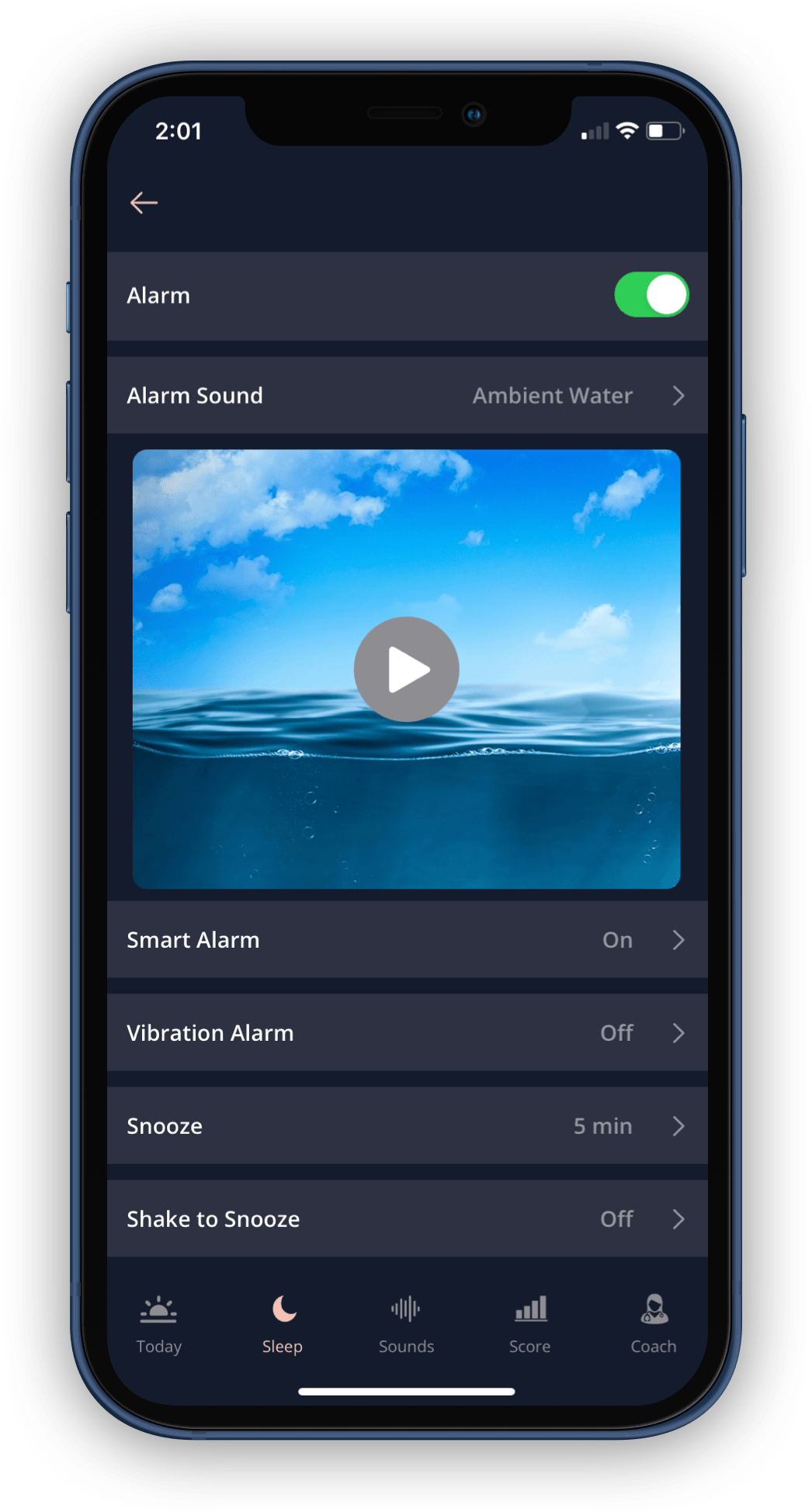
If you are working on bedtime consistency, pair Relaxing Haptics with the Smart Alarm and SleepSpace journey flow. That gives the night a tactile cue on the front end and a gentler wake-up cue on the back end. [5] [6]
If your main problem is pre-sleep arousal, it also fits naturally beside the falling asleep guide and relaxation and meditation material.
Try the full experiment for several nights: feel the wind-down, feel the wake, then look at your own data. If you want the broader science and technology context behind the app, the SleepSpace Science page is the right place to go deeper.
FAQ
Common questions about Relaxing Haptics
Do I need an Apple Watch to use SleepSpace vibration cues?
No. Relaxing Haptics uses iPhone haptics on supported devices. Apple Watch vibration is a separate option for people who want wrist-based cues for relaxation or waking.
How can Apple Watch vibration support relaxation?
SleepSpace uses a calming vibration pattern as a form of biofeedback. It gives you a simple physical cue to return to without needing to stare at the screen or count through the entire exercise.
What happens if the Breath Visualizer is off?
SleepSpace uses a proprietary slow calming fade designed to support relaxation.
Can I use Relaxing Haptics for progressive muscle relaxation?
Yes. That is one of the most natural use cases because a repeating tactile cue can help pace attention through the body while you tense and release muscle groups.
Can the morning alarm use haptics too?
Yes. Wake-up haptics use a faster version of the soothing fade while the alarm is active, so the morning cue feels more alert than the bedtime cue.
Should I keep the phone on my chest all night?
No. The stronger chest placement cue is for wind-down while you are awake. Keep the phone uncovered and move it away before you go to sleep.
Will this fix insomnia by itself?
No. It can make a wind-down routine easier to follow, but persistent insomnia usually needs a broader behavioral plan and sometimes medical evaluation.
Related guides
Keep building the rest of the routine
SleepSpace guide
Relaxation and Meditation
Use SleepSpace wind-down content when you want sound, breathing, or relaxation structure before bed.
SleepSpace guide
Digital Sleep Diary
Review whether a new wind-down cue actually changes sleep onset, awakenings, or how the night felt.
SleepSpace guide
Smart Alarm
Support the morning side of the loop with a wake-up flow that is gentler and easier to review.
SleepSpace guide
Connect Apple Watch
Use Apple Watch data and wrist vibration when you want wearable biofeedback and a quieter alarm option.
SleepSpace guide
How SleepSpace Works
See how journeys, sounds, tracking, and morning feedback fit together inside the broader sleep system.
SleepSpace guide
Falling Asleep Guide
Use a calmer body cue when the real problem is getting your body to settle at the start of the night.
SleepSpace guide
SleepSpace Science
Go deeper into the research and technology choices that shape the app.
References and peer-reviewed sources
- Eide EM, Hernes HM, Grønli J. Slow breathing techniques before bedtime and the effects on sleep: A systematic review. Sleep Medicine Reviews. 2026.
- Li K, Chen S, Liu Y, Yu N. The effects of progressive muscle relaxation on sleep quality in adults: a systematic review and meta-analysis of randomized controlled trials. Frontiers in Public Health. 2026.
- Morin CM, Culbert JP, Schwartz SM. Nonpharmacologic treatment of chronic insomnia. An American Academy of Sleep Medicine review. Sleep. 1999.
- Vermeylen S, Honinx E, Broes S, Vandenhoudt H, De Witte NAJ. Evaluation of a tactile breath pacer for sleep problems: A mixed method pilot study. Frontiers in Digital Health. 2022.
- Campanella C, Byun K, Senerat A, et al. The Efficacy of a Multimodal Bedroom-Based “Smart” Alarm System on Mitigating the Effects of Sleep Inertia. Clocks & Sleep. 2024.
- Ogawa K, Kaizuma-Ueyama E, Hayashi M. Effects of using a snooze alarm on sleep inertia after morning awakening. Journal of Physiological Anthropology. 2022.
- Costa J, Adams AT, Jung MF, Guimbretière F, Choudhury T. EmotionCheck: A Wearable Device to Regulate Anxiety through False Heart Rate Feedback. Adjunct Proceedings of the ACM International Joint Conference on Pervasive and Ubiquitous Computing. 2018.
- Aspell JE, Trotter PD, Lim M, et al. Toward an Embodied Medicine: A Portable Device with Programmable Interoceptive Stimulation for Heart Rate Variability Enhancement. IEEE Journal of Translational Engineering in Health and Medicine. 2018.
- Bouny P, Arsac LM, Guérin A, Nerincx G, Deschodt-Arsac V. Guiding Breathing at the Resonance Frequency with Haptic Sensors Potentiates Cardiac Coherence. Sensors. 2023;23(9):4494.
- Rudnicki K, Joris G, Meyvis F, Verschraegen M, Poels K. The Impact of a Technology-Assisted, Two-Month Breathing Exercise Intervention on Daily Affect, Weekly Stress and Examinational Stress. Behavioral Sciences. 2026;16(5):778.